Smarter Repairs, Less Downtime: John Deere PRO Service Explained
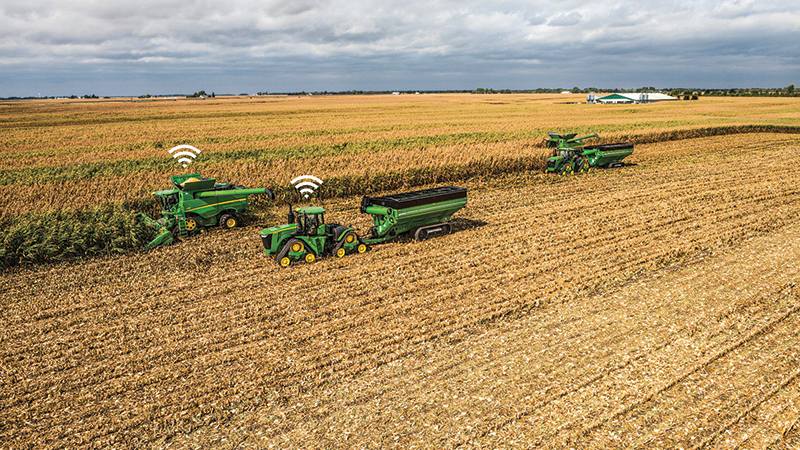
John Deere’s new PRO Service delivers faster diagnostics and smarter self-repair tools to minimize downtime and keep equipment running. Photo: RDO Equipment
Information moves at the speed of light, and that’s no different when it comes to a tractor. Earlier this year, John Deere released its latest digital self-repair tool, John Deere Operations Center PRO Service. A separate diagnostic dashboard within the Operations Center allows customers to further troubleshoot potential issues, John Deere’s PRO Service is just the latest digital resource released.
“We’ve been proactively working with the customers to solve machine issues with dedicated support teams since the beginning of John Deere’s Customer Service ADVISOR™ (CSA) more than 10 years ago,” said Jeff Wiener, machine support manager at RDO Equipment Co. “We partner with customers to minimize downtime through a centralized support team plus boots-on-the-ground experts.”
The Operations Center’s PRO Service tool will gradually replace the CSA tool over the next 12 months. Currently, PRO Service is a web-based experience, unlike the CSA , which can be accessed via the owner’s mobile phone CSA customers will be able to access this tool for the duration of their current CSA license term. Before downloading PRO Service, let’s review its system requirements, enhanced features and license options.
John Deere Operations Center Pro Service, Explained
Designed to give growers more control over tractor maintenance, the PRO Service tool can potentially reduce downtime and increase operational efficiency. PRO Service uses Operations Center’s JDLink™ Connectivity to build on existing tools like operator manuals, logged diagnostic trouble codes and warranty information. PRO Service includes advanced features that can help owners complete the following tasks:
- Access machine health insights and diagnostic codes
- View PIN-specific manuals and content
- Perform software reprogramming for John Deere controllers
- Run diagnostic readings, recordings and interactive tests
- Complete calibrations and condition monitoring
“PRO Service offers a more intuitive user experience and the available PRO Service licensing options offer flexibility for tractor growers of all sizes,” Wiener said. “Although growers should discuss PRO Service requirements and licenses with a trusted partner.”
Before installing PRO Service, customers need to check the software’s minimal requirements:
- Pro Service OS: Windows 11
- RAM and storage recommendations: 16GB and up to 500GB of storage
Licensing and Support FAQs Answered
John Deere and trusted dealers like RDO work together to create the best tractor ownership experience. Part of that includes developing self-repair tools that can be affordable for various operation sizes.
“Current CSA license owners will receive notifications within their Operations Center account at least 30 days before expiration,” Wiener said. “PRO Service will not be automatically renewed, so heavy growers can have time to contact their trusted Aftermarket Sales Professional to discuss their options.”
Wiener explains that PRO Service licenses can be categorized in a few ways like per machine or per organization. John Deere’s PRO Service also includes Service Business options for ag, turf, construction, forestry, utilities and other service-based operations.
License Type |
Coverage |
Annual Cost |
Key Features |
Individual Machine License |
One specific machine (PIN-based) |
$195 per machine |
Diagnostic and repair access for one machineIdeal for small operations |
Organization License |
All machines in one Operations Center organization |
$4,995 |
Full access across entire fleetIncludes remote diagnostics and software updatesEnables centralized management |
“When John Deere releases new digital self-repair tools, we at RDO Equipment want to be the first place a customer calls,” Wiener said. “We’ve had one customer call and realized he had multiple Operations Center accounts with different CSA subscriptions. We were able to help this customer centralize his 17 machines under one fleet organization and have a License for each vs the customer purchasing more then they needed with an Organization License.”
John Deere also operates a support portal and phone line, which customers can access in addition to contacting their preferred tractor technology advisor.
Not sure which license fits your operation? Start with one machine, or talk to your RDO Equipment advisor to scale up when it makes sense.
Technology Partners, Real Service: RDO Connected Support
RDO is committed to supporting customers transitioning from CSA to PRO Service, whether a contractor or farmer feels like a repair expert or is just starting to access digital self-repair tools and remote support services. Customers with a CSA account can access a free trial of PRO Service by entering their machine’s serial number. For advanced features like software updates, an electronic data link is required.
“We’ve been partnering with Product Managers and Customer Service Advisors in the field to ensure no farmer, or owner-operator loses access during the changeover,” Wiener said.
He shares that those who have accessed PRO Service reported positive feedback about the increased accuracy in remote diagnostics, which helps decrease downtime during critical production windows.
“RDO team members are committed to their key role in this tractor service and support ecosystem that quickly provides technical expertise,” Wiener said. “Innovations like PRO Service plus effective training can help machines run during critical times for our customers. When they are successful, so are we.”
Explore more about RDO’s Connected Support offerings and take control of your tractor health today. With any questions about Connected Support, contact your local RDO Equipment store or call the number that best fits the tractor you’re using:
- John Deere Agriculture: 844-866-9330
- John Deere Construction: 844-477-8100
- WIRTGEN GROUP: 844-551-9980
- Vermeer: 844-464-9370
Get Started with PRO Service and RDO Connected Support
John Deere digital repair tools, like Pro Service, can be installed on new or used machines. Setup is simple for growers new to the Operations Center.
1. Create Your Operations Center Account
Start by setting up your John Deere account. This unlocks access to tools, parts and data to help you use, maintain, diagnose and repair your tractor.
- Visit John Deere Account Setup to get started.
- Sign a Telematics Agreement.
- Partner with RDO Equipment Co. in your Operations Center.
- Add all your tractor to your account using serial numbers.
- For setup support, reach out to the Connected Support Team.
2. Choose Your PRO Service License
Select the license that fits your operation:
License Type |
Best For |
Approximate Annual Cost |
Per Machine |
Fleets under 25 machines |
$195/machine |
Organization License |
Fleets of 25+ machines |
$4,995 |
Service Business License |
Independent repair shops |
$5,995 |
- Licenses unlock diagnostics, repair and reprogramming features.
- Activation may take up to 2 business days.
3. Connect Your Equipment
To unlock full PRO Service capabilities:
- Ensure your machines are added to your Equipment List in Operations Center.
- Use compatible hardware: EDL v2, EDL v3 or USB-Link3 (VC1016).
- Machines with 4G MTG modems support remote diagnostics and software updates.
4. Explore PRO Service Features
- View Diagnostic Trouble Codes (DTCs)
- Access Machine Health Insights
- Perform software updates and component replacements
- Use interactive schematics and manuals
- Shop parts directly via Shop.Deere.com
5. Access Pricing Quote and Purchase Your License
To receive accurate pricing information, do the following:
- Confirm the number of machines
- Identify your EDL version
- Determine if you qualify for a trial
- Use Master Parts Quotes available at your RDO store
Subscribe Today For
